
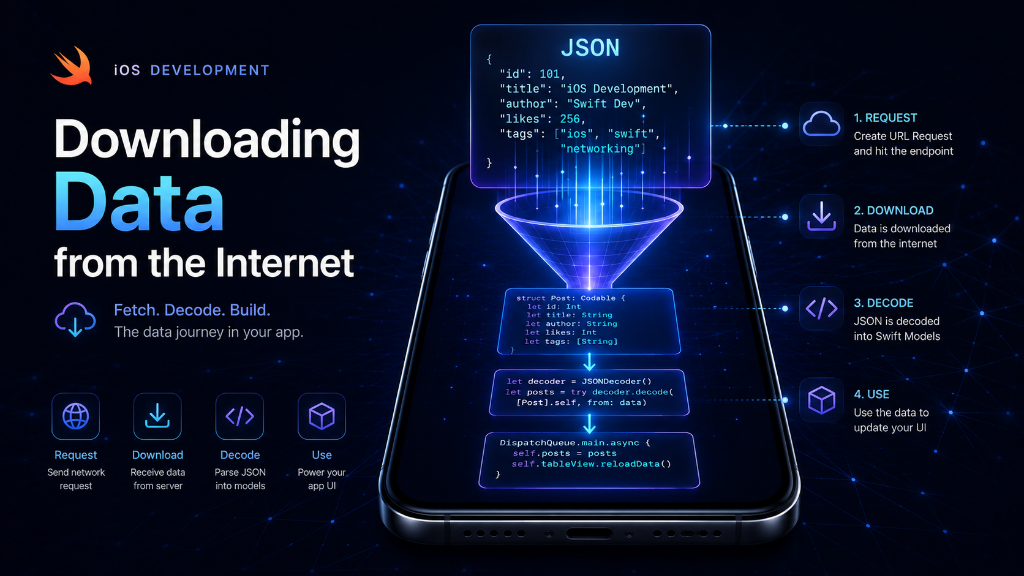
Introduction: Most modern apps need the internet. Whether you are checking the weather, loading Instagram photos, or reading messages, your app is downloading data from a server. In this guide, we will learn how to do this in iOS using two simple tools: URLSession and Codable.
The Restaurant Analogy
To understand how apps get data from the internet, think of a restaurant:
- The Customer (You/App): You want to eat a sandwich (you want data).
- The Menu (URL): You point to the item you want on the menu (the web address of the data).
- The Waiter (URLSession): The waiter takes your request to the kitchen and brings back a plate of raw ingredients.
- The Chef (JSON Decoder): The chef cooks and formats the raw ingredients so they are ready for you to eat (translates server data into Swift code).
What is JSON?
Servers do not speak Swift. They speak in a simple text format called JSON (JavaScript Object Notation). It looks like a list of keys and values. For example, a server might send a user's details like this:
{
  "name": "Alex",
  "age": 25,
  "isPremium": true
}
Our Swift app cannot read this text directly. We need to convert it into a Swift struct. This process is called **Decoding**.
Step 1: Create Your Swift Model (Codable)
First, we create a Swift struct that matches the JSON from the server. We add the word Codable to tell Swift that this struct can be converted to and from JSON.
struct User: Codable {
    let name: String
    let age: Int
    let isPremium: Bool
}"name", your variable must be name.Step 2: Download and Translate (URLSession)
Now, we write the code to contact the server and download the data. We use URLSession.shared.data(from:) which works like a postman. It goes to the URL, downloads the text, and returns it to us.
func fetchUserData() async {
    // 1. Define the web address (URL)
    guard let url = URL(string: "https://api.example.com/user") else {
        print("Invalid URL")
        return
    }

    do {
        // 2. Download the raw data using URLSession
        // The 'await' keyword means: wait for the download to finish
        let (rawData, _) = try await URLSession.shared.data(from: url)

        // 3. Translate the JSON data into our Swift 'User' struct
        let decodedUser = try JSONDecoder().decode(User.self, from: rawData)

        // 4. Use the decoded data
        print("User name is \(decodedUser.name) and age is \(decodedUser.age).")

    } catch {
        // Handle any errors (like no internet or wrong JSON format)
        print("Error loading data: \(error.localizedDescription)")
    }
}
Understanding the Pieces
Let's review the main parts of this process so you can remember them easily:
| Term | What it does | Why it matters |
|---|---|---|
| URL | The web address of the API. | Tells the app where the server is located. |
| URLSession | Downloads data from the internet. | Handles the connection, timeout, and response. |
| Codable | A Swift protocol (rule). | Allows a Swift struct to translate itself from JSON. |
| JSONDecoder | The translation machine. | Takes raw JSON bytes and turns them into a Swift object. |
async and await. This ensures the app doesn't freeze while waiting for the server.Summary
To download data in iOS, you first define a Codable struct that matches the JSON format. Then you use URLSession to fetch the raw data over the internet, and finally use JSONDecoder to turn that data into your Swift object. With just these steps, your app can connect to any API in the world!