
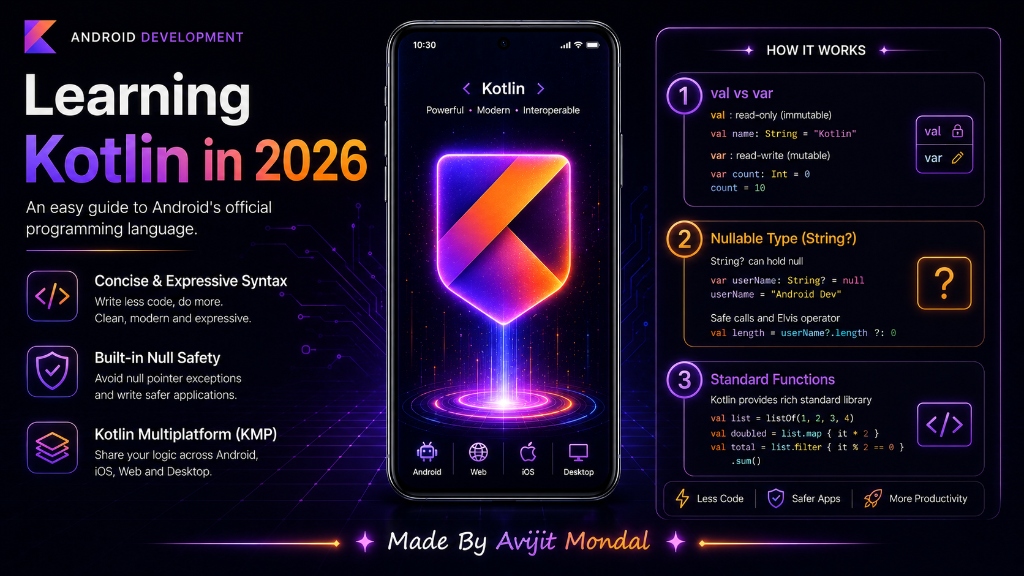
Introduction: If you want to build Android apps, you need to learn Kotlin. It is Google's official and preferred language for Android development. In 2026, Kotlin is also used to build iOS apps, servers, and websites thanks to Kotlin Multiplatform (KMP). In this guide, we will learn how to start learning Kotlin from scratch using very simple steps.
Why Learn Kotlin in 2026?
Before we dive in, let's understand why Kotlin is so popular:
- It is Google's Favorite: All modern Android tools (like Jetpack Compose) are built specifically for Kotlin.
- It Prevents Crashes: Kotlin has a built-in safety net that prevents 'Null Pointer Exceptions'—the number one reason Java apps crash.
- Write Once, Run Everywhere (KMP): In 2026, you can write your app logic in Kotlin and run it on both Android and iOS, saving months of work!
The 2026 Learning Roadmap
To learn Kotlin without getting confused, follow this simple step-by-step route:
Step 1: Variables (val vs var)
In Kotlin, you store data in variables. You must choose between constant (read-only) and mutable (changeable) variables:
val(Value): A read-only variable. Once you assign a value, it is locked. Use this by default.var(Variable): A changeable variable. You can update its value later.
val name = "Alex" // Lock name as "Alex"
// name = "Bob" // ❌ Error! You cannot change a val

var score = 10
score = 15 // ✅ Works! score is a var
Step 2: Null Safety (The '?' Operator)
In coding, variables sometimes hold nothing (known as null). If your app tries to read a null variable, it will crash. Kotlin forces you to mark variables that can be empty with a question mark ?.
val username: String = "Coder123" // Cannot be null
// val nickname: String = null // ❌ Compiler error!

val nullableName: String? = null // ✅ Safe! Can hold text or null

// Safe call: print length if not null, otherwise print 'null'
println(nullableName?.length)
Step 3: Functions and Classes
Functions are blocks of code that perform actions. Classes are templates to build objects.
// A simple function that returns greeting text
fun greetUser(userName: String): String {
    return "Welcome back, $userName!"
}

// A simple class representing a Book
class Book(val title: String, val author: String) {
    fun displayInfo() {
        println("$title by $author")
    }
}
Step 4: Practice with Kotlin Playground
You do not need to install heavy programs like Android Studio to start practicing. Simply open your web browser and search for **Kotlin Playground**. It is a free, official web tool where you can write and run Kotlin code instantly!
Kotlin vs. Java
If you are deciding between learning Java or Kotlin, this comparison makes it clear:
| Feature | Java (Old Way) | Kotlin (Modern Way) |
|---|---|---|
| Null Safety | ❌ No (causes frequent crashes) | ✅ Yes (checked at compile time) |
| Code Length | Verbose (requires lots of typing) | Concise (up to 40% fewer lines) |
| Multiplatform | ❌ Only runs on Android/JVM | ✅ Runs on Android, iOS, Web, Desktop |
| Google Support | Secondary support | Primary official language since 2019 |
Summary
Kotlin is a powerful, safe, and modern language. To learn it, start with variables (val and var), master null safety with the ? operator, and write basic functions and classes. Practice online in Kotlin Playground, and you will be ready to build advanced mobile apps in no time!