
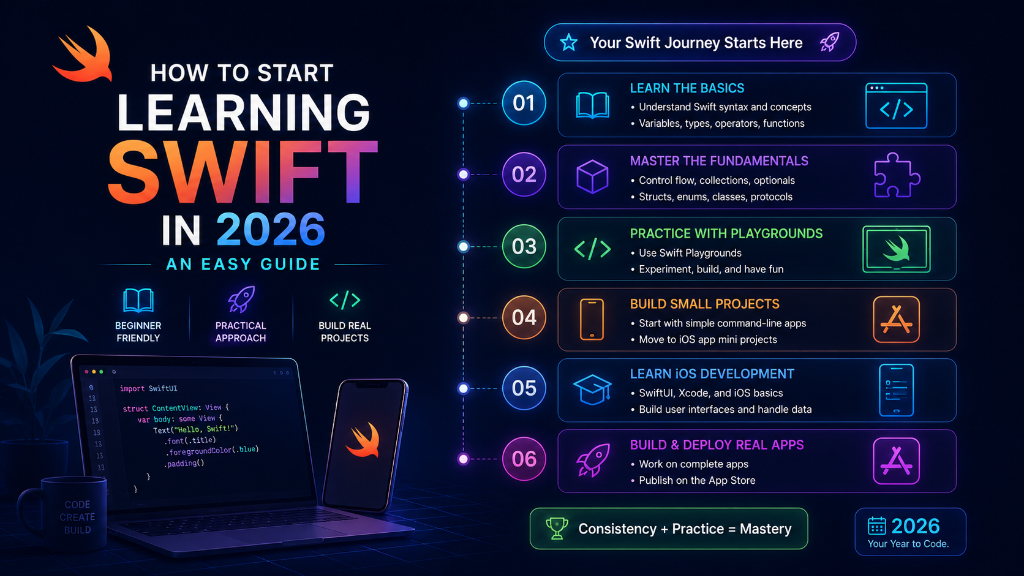
Introduction: Do you want to build apps for iPhones and iPads? If yes, you need to learn a language called Swift. Swift is Apple's official language. In this guide, we will show you exactly how to learn it in 2026 using very simple words.
What Tools Do You Need?
Before you start coding, you need to set up your tools. You have two main options:
- Xcode (on Mac): This is the official software to build iPhone apps. It is free to download from the Mac App Store.
- Swift Playgrounds (on iPad or Mac): If you do not have a Mac, you can learn Swift on an iPad using the Swift Playgrounds app. It is very fun and game-like.
Your 4-Step Learning Roadmap
Do not try to learn everything at once. Follow these four simple steps:
Step 1: Learn the Basics (Variables and Types)
Start with understanding variables (var) and constants (let). Practice how to store text (Strings) and numbers (Int).
Step 2: Understand Optionals
Swift uses Optionals to handle missing values safely. Learn how to open these boxes safely using if let.
Step 3: Master Structs and Enums
Learn how to build custom data models. In Swift, we use Structs to group related data together.
Step 4: Build Screen Layouts in SwiftUI
Once you know Swift basics, learn SwiftUI. It lets you build beautiful app buttons and lists in minutes.
Comparison of Learning Stages
| Stage | What you learn | Difficulty Level | Time Needed |
|---|---|---|---|
| 1. Basics | Variables, loops, functions | Easy | 1 week |
| 2. Optionals | Safety, unwrapping boxes | Medium | 3 days |
| 3. Structs | Custom data types, models | Medium | 1 week |
| 4. SwiftUI | Buttons, lists, animations | Easy & Fun | 2 weeks |
Simple Swift Code Example
Here is a tiny code snippet showing a basic Swift struct and function. You can run this in Xcode Playgrounds:
import Foundation

// 1. Create a Struct for a user
struct Learner {
    let name: String
    var level: String
}

// 2. Create a function to welcome the user
func welcome(user: Learner) {
    print("Hello \(user.name)! You are at \(user.level) level.")
}

let student = Learner(name: "Amit", level: "Beginner")
welcome(user: student)
Summary
Learning Swift in 2026 is simple if you take it step-by-step. Get Xcode, practice the basics, learn how Swift keeps data safe, and start building UI screens with SwiftUI. Anyone can learn it with a little daily practice!