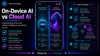
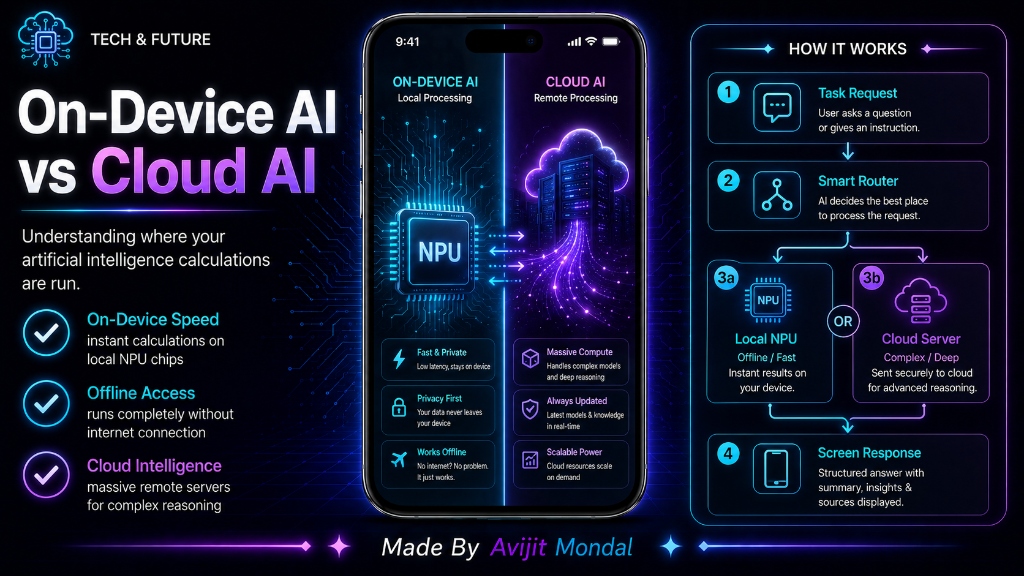
Introduction: When you use AI today—whether it is auto-correcting your texts, searching for a dog in your photo library, or asking ChatGPT to write a recipe—the work has to be done by a computer processor. But where does that processor live? Sometimes it is the chip inside your pocket (On-Device AI), and other times it is a massive server farm thousands of miles away (Cloud AI). Let's explore the differences between these two approaches in simple words.
The Analogy: The Pocket Calculator vs. The Supercomputer Hotline
Imagine you need to solve math problems during a test:
- On-Device AI (The Pocket Calculator): You have a calculator on your desk. It is fast, works instantly, does not need an internet connection, and does not share your math questions with anyone else. However, it can only do math; it cannot write an essay or paint a picture.
- Cloud AI (The Supercomputer Hotline): You have a phone to call a university supercomputer room. You read your complex essay question to the professor on the line, they run it through the supercomputer, and they read back the perfect answer. It is incredibly smart, but if your phone line goes down, you get nothing. Plus, the person on the line hears all your secrets.
Your phone uses both methods depending on how much power a task requires and how private your data needs to be.
Understanding On-Device AI
On-Device AI means the AI model is downloaded directly onto your phone, tablet, or laptop. The calculations are done locally using your device's chips—specifically the **NPU (Neural Processing Unit)**, also called the Neural Engine on iPhones. Because the data does not travel over the internet, on-device AI is incredibly fast, works offline, and keeps your data completely private.
Examples of on-device AI tasks include:
- Predictive text and auto-correct as you type.
- Face and object recognition in your photo gallery.
- Voice commands for basic system tasks (like setting an alarm).
- Live audio transcribing or translating text offline.
Understanding Cloud AI
Cloud AI means the AI model is so huge that it cannot fit on a phone. Instead, it lives on giant servers owned by companies like Google, Microsoft, or OpenAI. When you ask a question, your device sends the data over the internet to the cloud, the servers process the request, and send the result back to your screen. This allows you to interact with massive, highly intelligent models, but it requires a constant internet connection and has slight delays.
Examples of cloud AI tasks include:
- Generating complex images from text (like Midjourney or DALL-E).
- Having deep conversations and writing long code blocks with ChatGPT or Claude.
- Analyzing massive corporate databases or translation of complex documents.
On-Device AI vs. Cloud AI Comparison
| Feature | On-Device AI (Local) | Cloud AI (Remote) |
|---|---|---|
| Internet Connection | ❌ Not required (works offline) | ✅ Required (needs stable connection) |
| Privacy & Security | 🔒 Highest (data never leaves device) | 🌐 Lower (data sent to remote servers) |
| Response Speed | ⚡ Instant (zero network lag) | ⏳ Slower (network round-trip delay) |
| Model Size & Intelligence | 📦 Smaller (focused, simpler tasks) | 🧠 Massive (generalized, highly complex tasks) |
| Battery & Hardware | 🔋 Uses phone battery and processor | ☁️ Uses server farm power, saves phone battery |
Summary
On-Device AI processes data locally on your device's NPU, offering maximum speed, offline availability, and absolute privacy for simple everyday tasks. Cloud AI sends data over the internet to powerful remote servers, enabling access to massive, highly intelligent models for complex reasoning. A hybrid combination of both is how modern mobile operating systems deliver smart, secure features!