Introduction: Today, our smartphones contain our entire lives. They hold our bank accounts, private photos, work documents, saved passwords, and personal emails. Because they contain so much sensitive data, phones are primary targets for cybercriminals. Fortunately, keeping your data secure does not require being a technology expert. Let's look at simple, practical security tips to protect your iPhone or Android phone from hackers.
The Analogy: Hiding the Key vs. A Strong Security System
Imagine protecting your home from intruders:
- No Security: Leaving your front door wide open. Anyone walking by can step inside and take what they want. (This is like having no passcode on your phone).
- Weak Security: Locking the door but hiding the key under the doormat. It keeps out honest neighbors, but any experienced thief knows exactly where to look. (This is like using '1234' or your birth year as a passcode).
- Modern Security: Installing a heavy-duty deadbolt lock, window sensors, a safe inside for valuables, and a smart doorbell that asks visitors for identification. (This is like using strong passcodes, Face ID, app locks, and Two-Factor Authentication).
By adding a few simple security barriers, you make it too difficult and time-consuming for hackers to break in, so they give up.
5 Simple Rules to Keep Your Phone Secure
Follow these five habits to protect your device and online accounts from unauthorized access:
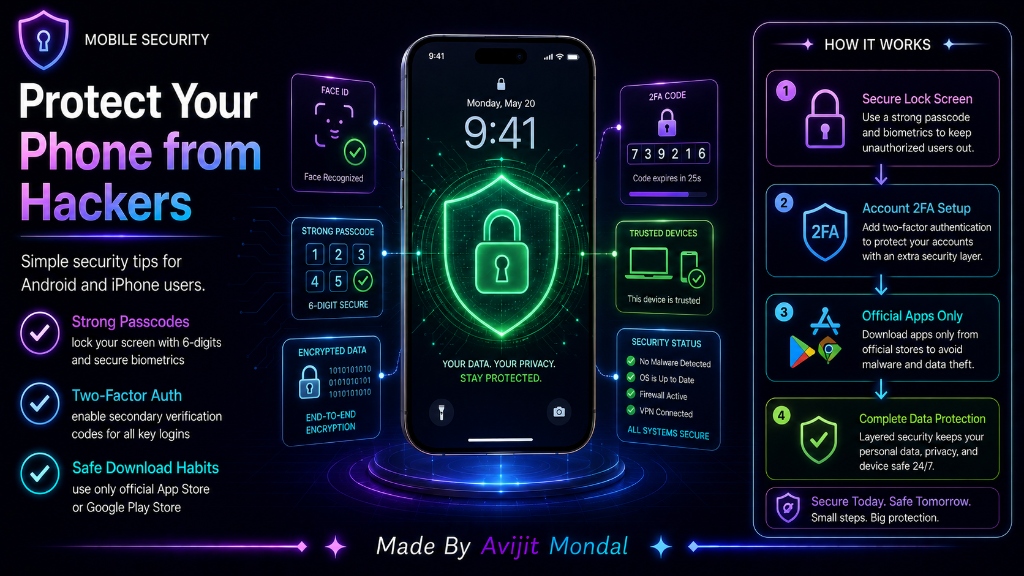
- 1. Lock with Strong Passcodes & Biometrics: Set a 6-digit passcode instead of a 4-digit one. Enable fingerprint or facial recognition (Face ID / Touch ID) for quick, secure unlocking.
- 2. Enable Two-Factor Authentication (2FA): Turn on 2FA for all important accounts. This requires a secondary code sent to your phone via SMS or an authenticator app, making it impossible for a hacker to log in with just your password.
- 3. Download Only from Official Stores: Stick to the Apple App Store or Google Play Store. These stores scan apps for malware before allowing you to download them. Avoid downloading apps from web browsers or links in text messages.
- 4. Avoid Public Wi-Fi for Sensitive Tasks: Free public Wi-Fi networks (like at airports or cafes) are unencrypted. Hackers can intercept whatever you type. Use your cellular network or a VPN if you need to access bank apps or check emails in public.
- 5. Install Operating System Updates: System updates contain security patches that repair newly discovered software vulnerabilities. Update your phone as soon as alerts appear.
iPhone vs. Android Security Features
Both Apple and Google build excellent security features directly into their mobile operating systems:
| Security Feature | iPhone (iOS) | Android OS |
|---|---|---|
| App Isolation | 🔒 Strict sandboxing (apps cannot see other app data) | 🔒 Sandboxing with user-permission configuration |
| App Store Safety | 🔍 Strict manual human and automated review | 🔍 Google Play Protect scans installed apps daily |
| Lost Phone Tracker | 📍 Find My network tracks device even when offline | 📍 Find My Device locate and lock lost devices |
| System Updates | ⚡ Delivered to all devices instantly by Apple | ⏳ Delivery speeds vary by phone brand/manufacturer |
Summary
Protecting your phone from hackers does not require advanced technical skills. By setting a strong 6-digit passcode, enabling Two-Factor Authentication, downloading apps only from official stores, avoiding public Wi-Fi networks for banking, and installing regular system updates, you can keep your private photos, passwords, and accounts completely safe from digital threats!