
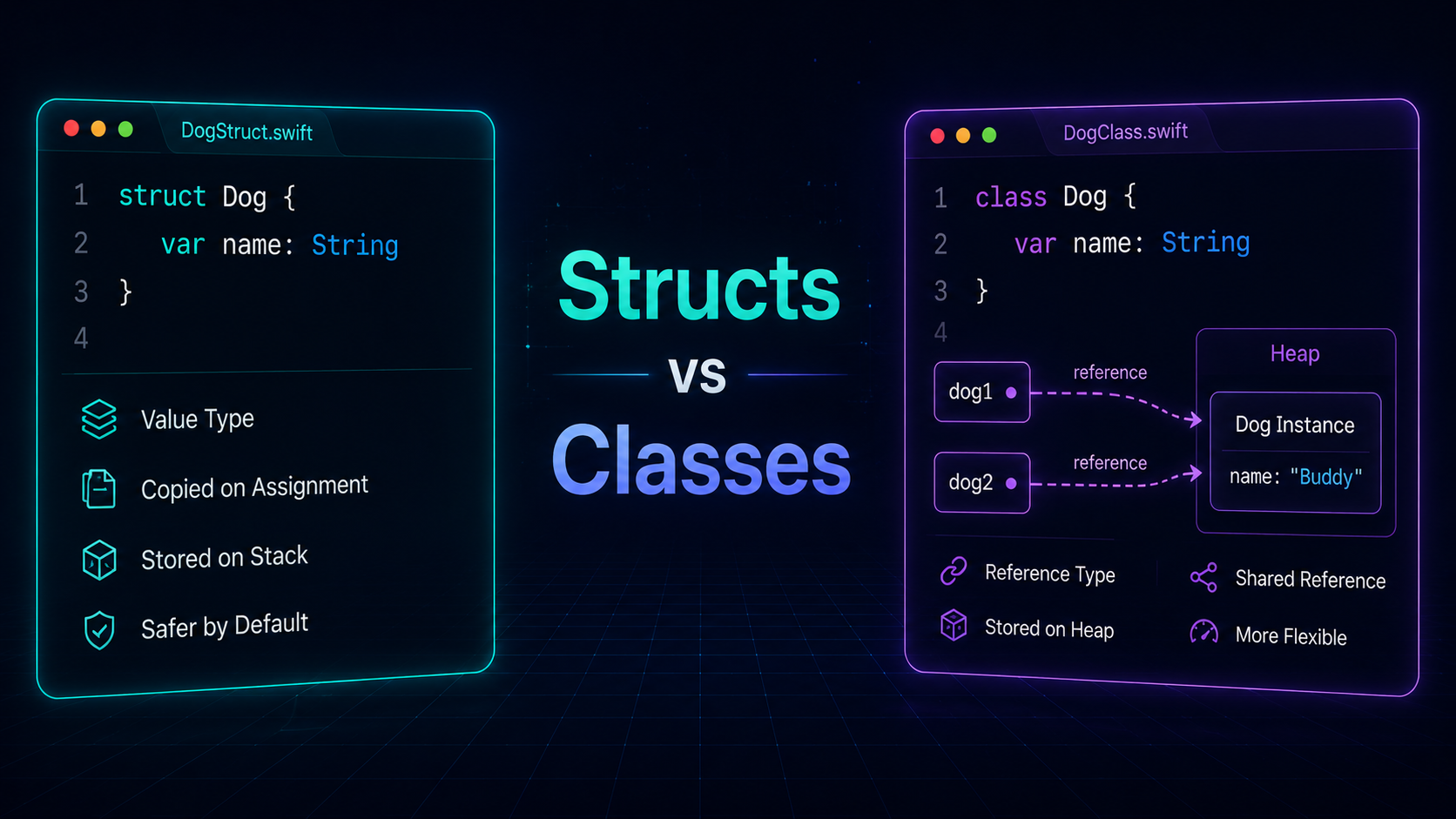
Swift, the language that powers your favourite apps, gives you two ways to make your custom types: structs and classes. They might seem similar, but they've got some critical differences. This article will break down what makes each one special and when to use them.
Copy or Share? — The Core Difference
Structs — Value Types
Think of structs like making photocopies. When you create a struct and share it, you're handing out copies. Each copy is independent — change one, and the others stay the same.
struct Dog {
    var name: String
    var age: Int
}

var myDog = Dog(name: "Buddy", age: 3)
var yourDog = myDog  // yourDog is an independent copy
myDog.age = 4
print(yourDog.age)  // Prints 3 — your dog didn't get older!
Classes — Reference Types
Classes are more like sharing a TV remote. When you make a class and share it, you're not copying it — you're all pointing to the same object. Change something for one reference, and everyone sees the change.
class TV {
    var channel: Int = 1
}

var livingRoomTV = TV()
var bedroomTV = livingRoomTV  // Both point to the SAME object
livingRoomTV.channel = 5
print(bedroomTV.channel) // Prints 5 — both TVs linked!struct.Mutability
Structs — Immutable by Default
Structs declared with let are completely locked. You can't add or modify properties.
struct TreasureChest {
    let goldCoins: Int
}

let oldChest = TreasureChest(goldCoins: 10)
// oldChest.goldCoins = 15  // ❌ Compiler error — immutable!
Classes — Always Mutable References
Even a let class reference can have its properties changed — let only means the reference itself can't change, not the object it points to.
class MagicBox {
    var tricks: [String] = []
}

let magicHat = MagicBox()  // 'let' reference, but mutable properties
magicHat.tricks.append("Rabbit Out of Hat")  // ✅ Works fine!
magicHat.tricks.append("Disappear Coin")
Inheritance
Structs don't support inheritance at all. You can't make a new struct that extends another one.
Classes support full inheritance — like LEGO sets, you can make a new class that builds on the old one with extra features.
class Vehicle {
    var wheels: Int = 0

    func describe() -> String {
        return "A vehicle with \(wheels) wheels"
    }
}

class Car: Vehicle {
    var brand: String

    init(brand: String) {
        self.brand = brand
        super.init()
        self.wheels = 4
    }

    override func describe() -> String {
        return "\(brand) with \(wheels) wheels"
    }
}

let myCar = Car(brand: "Tesla")
print(myCar.describe())  // Tesla with 4 wheels
Performance Comparison
| Feature | Struct | Class |
|---|---|---|
| Memory allocation | Stack (fast) | Heap (slower) |
| Copy behaviour | Value copy | Reference share |
| Inheritance | ❌ No | ✅ Yes |
| Thread safety | ✅ Safer | ⚠️ Needs care |
| ARC overhead | ❌ None | ✅ Yes (counted) |
| Preferred for | Data models, SwiftUI | View controllers, shared state |
When to Use What
Use struct when:
- Modelling plain data (User, Post, Product)
- You want thread-safe, predictable copies
- You don't need inheritance
- Working with SwiftUI —
Viewtypes are always structs - You want the compiler to catch mutation bugs
Use class when:
- You need shared mutable state (e.g. a network manager singleton)
- You need inheritance (e.g.
UIViewControllersubclassing) - Working with Objective-C APIs that require reference types
- You need identity comparison (
===)
Array, Dictionary, String are all value types.Conclusion
Structs are perfect for simple, independent things — like numbers and names. Classes are for when you want to share and change things together. Whether you go for structures or classes, Swift's got you covered for building awesome stuff in your apps!