
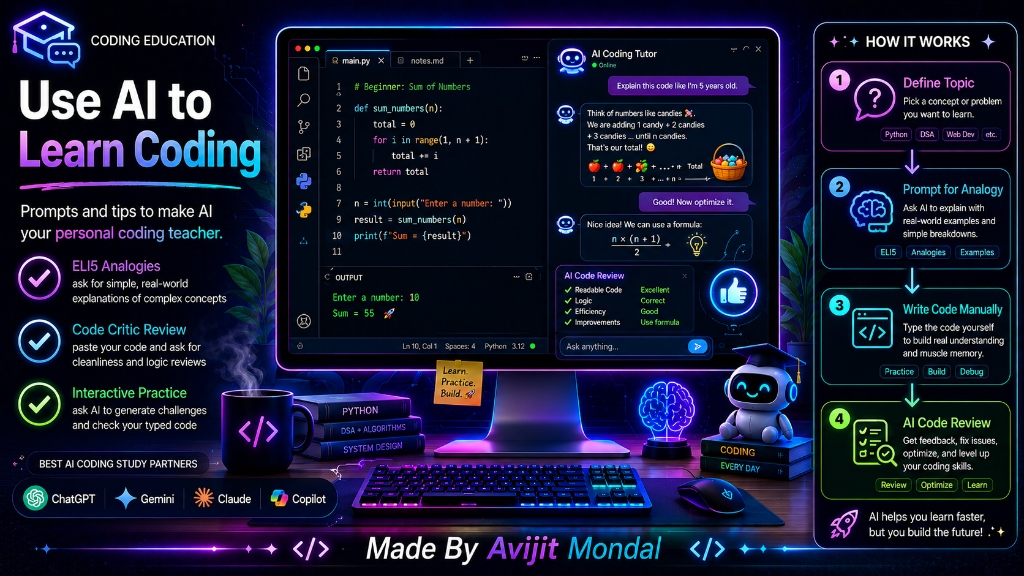
Introduction: When beginners see tools like ChatGPT, Gemini, or Claude, they often use them to generate code—they type a prompt, copy the output, and paste it into their editor. While this gets the job done quickly, it actually hurts your learning process. If the AI does all the thinking, your brain learns nothing. However, if used correctly, AI can be the most patient, knowledgeable personal coding tutor ever created. Let's learn how to use AI to speed up your learning without cheating yourself.
The Analogy: The Homework Copier vs. The Private Tutor
Imagine sitting in a classroom preparing for a math test with an assistant beside you:
- The Homework Copier (Wrong Way): You show the assistant the question. They write down the full mathematical steps and the final answer. You copy it onto your sheet and close the book. You finish in 5 minutes, but during the actual exam, you fail because you do not know how to solve it yourself.
- The Private Tutor (Right Way): You show the assistant the question. They explain the underlying formula, walk you through a simpler example, guide you as you start writing the steps, and point out errors in your calculations in real-time. It takes 20 minutes, but you understand it completely and ace the exam.
To learn coding, you must treat the AI as the Private Tutor, not the Homework Copier.
4 Key Prompts for Active Coding Learning
To make AI your personal coding teacher, use these specific prompts instead of asking it to 'write code for me':
- 1. The 'Explain Like I'm Five' Prompt: When learning a new concept, say: 'Please explain the concept of [e.g. Optionals in Swift] in simple words using a real-world analogy suitable for a complete beginner.'
- 2. The 'Code Critic' Prompt: Write the code yourself, paste it in, and say: 'Here is my working code for [task]. Do not rewrite it. Instead, suggest 3 ways I can make this cleaner, safer, or more efficient, explaining the reasons behind each suggestion.'
- 3. The 'Error Interpreter' Prompt: When your code crashes, paste the error and say: 'My code crashed with this error: [error]. Please explain what this error means in simple terms, list 3 common reasons why it happens, and give me clues to debug it myself.'
- 4. The 'Practice Partner' Prompt: Ask the AI to test you: 'I am learning [e.g. loops in Kotlin]. Please give me a small coding challenge to solve. Do not write the code or show the solution. Wait for my code, then review it.'
Copy-Pasting vs. Active AI Tutoring
Compare the results of using AI as a tool to cheat vs. using it as a tool to learn:
| Aspect | Copy-Pasting AI Code | Active AI Tutoring |
|---|---|---|
| Learning Speed | Very slow (you don't remember what you pasted) | ✅ Fast (you learn by typing and understanding) |
| Interview Readiness | Poor (you freeze when asked to write simple code) | ✅ Excellent (you can explain *why* code works) |
| Debugging Skills | Stuck if the AI's code has an error or is outdated | ✅ High (you can read and resolve compiler errors) |
| Long-term Career | Dependence on prompts limit your growth | ✅ Unlimited (AI is a catalyst, your knowledge is yours) |
Summary
AI tools like ChatGPT, Claude, and Gemini are incredible resources for learning to code if you use them as interactive tutors rather than homework copiers. By asking for analogies, requesting code reviews, using errors as learning opportunities, and practicing with custom AI challenges, you can build deep programming skills and solve complex coding problems independently!