
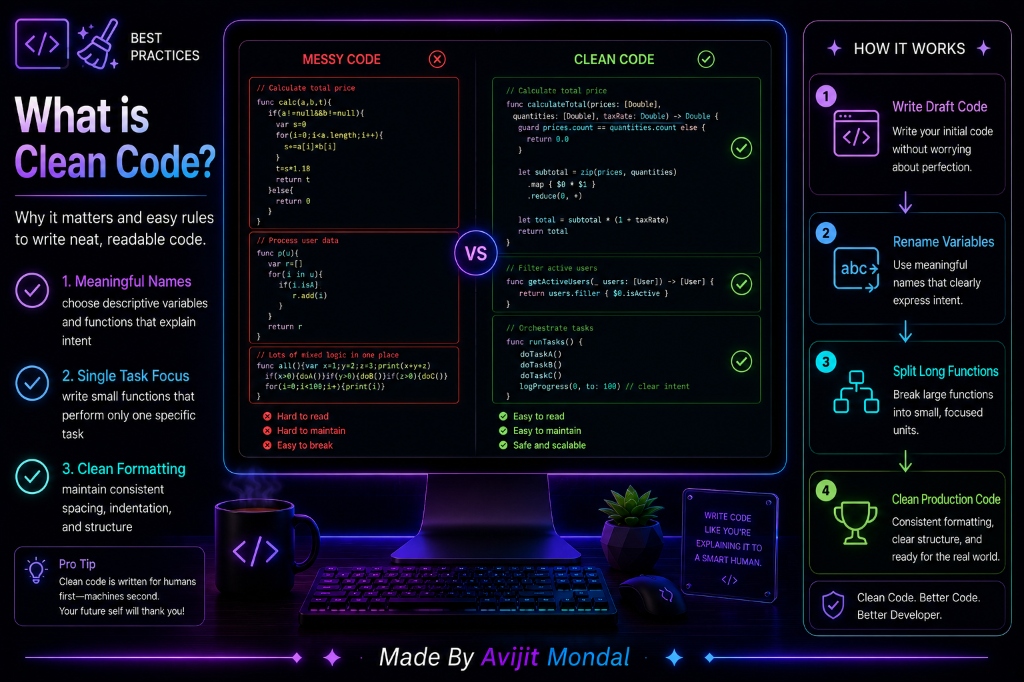
Introduction: When you first start learning programming, you think your only goal is to make the code run without compiler errors. If the computer does what you want, you celebrate. However, as projects grow, you quickly discover that writing code is actually for humans, not computers. A computer runs messy, ugly, unreadable code just as fast as neat code. We write Clean Code so that we—and our future team members—can read, understand, and modify it without introducing new bugs. Let's look at simple rules to keep your code clean.
The Analogy: The Messy Room vs. The Organized Kitchen
Imagine walking into a kitchen to cook a dinner recipe:
- The Messy Kitchen (Messy Code): Spices are stored in unlabeled jars, knives are left scattered on the floor, and clean pans are piled under dirty plates. You can still cook, but finding a fork takes 10 minutes, and the process is stressful and slow.
- The Organized Kitchen (Clean Code): Spices are arranged in labeled spice jars, cooking utensils are hung on the wall, and the counter is clean. You prepare the meal quickly, feel happy, and anyone else can walk in and cook just as easily.
Writing clean code is like maintaining that organized kitchen. It saves you massive amounts of time when you need to make changes later.
4 Core Rules of Clean Code
Keep your code tidy by implementing these four simple habits:
- 1. Use Meaningful Names: Avoid variable names like
let x = 5or functions likefunc d(). Use clear, self-explanatory names, such aslet totalItemsCount = 5orfunc downloadUserData(). Good code should read like clear English. - 2. Write Small Functions with Single Tasks: Do not write a giant 100-line function that downloads user profiles, updates databases, calculates scores, and changes screen layouts. Instead, break it down into four separate 10-line functions. Each function should do only one thing.
- 3. Explain 'Why', Not 'What' in Comments: Avoid writing comments that repeat the code, like
count += 1 // add one to count. Instead, explain the *reasoning* behind unusual decisions, such as// Start counting at index 1 because index 0 is reserved for the list header view. - 4. Maintain Consistent Formatting: Follow standard indentation, spacing, and bracket layouts. Clean, visual structure allows you to scan files quickly.
Messy Code vs. Clean Code
Here is how code elements look when written messily vs. cleanly:
| Element | Messy Code Style | Clean Code Style |
|---|---|---|
| Variable Naming | let d = 86400 | ✅ let secondsInOneDay = 86400 |
| Function Size | 150 lines performing 4 different tasks | ✅ 4 separate functions performing 1 task each |
| Readability | Slow; requires mental tracing of inputs | ✅ Fast; reads like natural English sentences |
| Maintenance | High risk of breaking features when edited | ✅ Low risk; modular changes are easy to verify |
Summary
Clean code is about writing code that others can read and edit. By choosing meaningful variable names, writing small functions that do one thing, writing comments that explain decisions rather than actions, and keeping formatting consistent, you ensure your software remains easy to scale, maintain, and free of hidden bugs!